Battle Wheels Unblocked — Play Free Online
More Car Soccer games

Battle Wheels unblocked: play Battle Wheels online free right here in your browser — no download, no sign-up, works on a school Chromebook.
Battle Wheels is less a soccer game than a demolition duel. Two stubby battle cars, no roofs, one arena, and a simple rule: land your car on the other driver's head and they lose health. It is a 1-on-1 fight played in short rounds, which is why it turns up on a car-soccer site. The physics-driven flipping and ramming will feel familiar if you like the chaotic car handling of Rocket League 2D.
You can play against the computer or bring a friend for two players on the same keyboard. Between fights you spend what you earn on upgrades, so the further up the ranks you climb, the tougher your car becomes. It runs in the browser with nothing to install.
How to play
The controls are minimal. Player 1 uses the A and D keys for the car's action, and Player 2 uses the Left and Right arrow keys. Click inside the game once so the keys reach it, and check the start screen if anything feels different.
With only two inputs, the game is about timing and position. You steer and tumble your car around the arena, trying to flip it so the open top of the opponent's car takes the hit. Damage comes from striking the head, not from bumping the sides, so a fast, messy collision is often worth less than a clean landing.
Upgrades
Winning fights earns rewards that go into your car. You can improve the chassis for more base health, fit new wheels for more damage, and add general damage and health upgrades. You can also customise your character. Improving several areas together tends to help more than maxing out one.
Tips
- Let the opponent come to you and watch how they rotate. A car in mid-flip is easier to land on than one sitting flat.
- Do not spend every round chasing. Protect your own open top and keep it away from the other car's wheels.
- Spend upgrades as soon as you can afford them. A tougher car makes the harder fights much easier.
- In two-player mode, agree on who sits where, since both players share one keyboard and need their own keys.
Similar games on Rocket League 2D
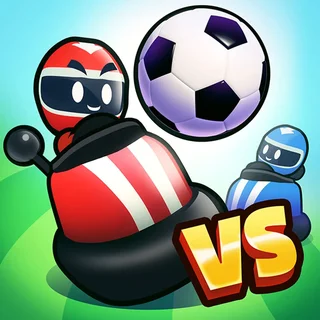
If you like cars crashing into each other but want a ball involved, Bumper Cars Soccer adds bumping to football, and Rocket Soccer Derby is a more direct take on cars and goals. For a plain two-player sport on a keyboard, Head Soccer 2023 is another quick match-based game. Battle Wheels is the one where the fight is the point and the ball is missing.
It suits a five-minute break on a keyboard, or a quick head-to-head with a friend.
Questions about Battle Wheels
Is Battle Wheels unblocked at school?
Battle Wheels runs in an ordinary browser tab from rocket-league.io, with nothing to download or install, so it plays on most school Chromebooks and work computers. If a network filter blocks the site, only that network's administrator can change it.
What are the controls in Battle Wheels?
Player 1 uses the A and D keys, and Player 2 uses the Left and Right arrow keys. Click inside the game first so the keys register.
Can two people play Battle Wheels together?
Yes. There is a two-player mode on one keyboard, with separate keys for each player, as well as play against the computer.
What can I upgrade?
You can improve your chassis for more health, get new wheels for more damage, and add general damage and health upgrades, and you can customise your character.
Is Battle Wheels free?
Yes. It plays free in your browser with no download or account.